
FLX10 + DVS
Hi!
Got a problem with FLX10 and DVS.
Got FLX10 which one is compatible with DVS
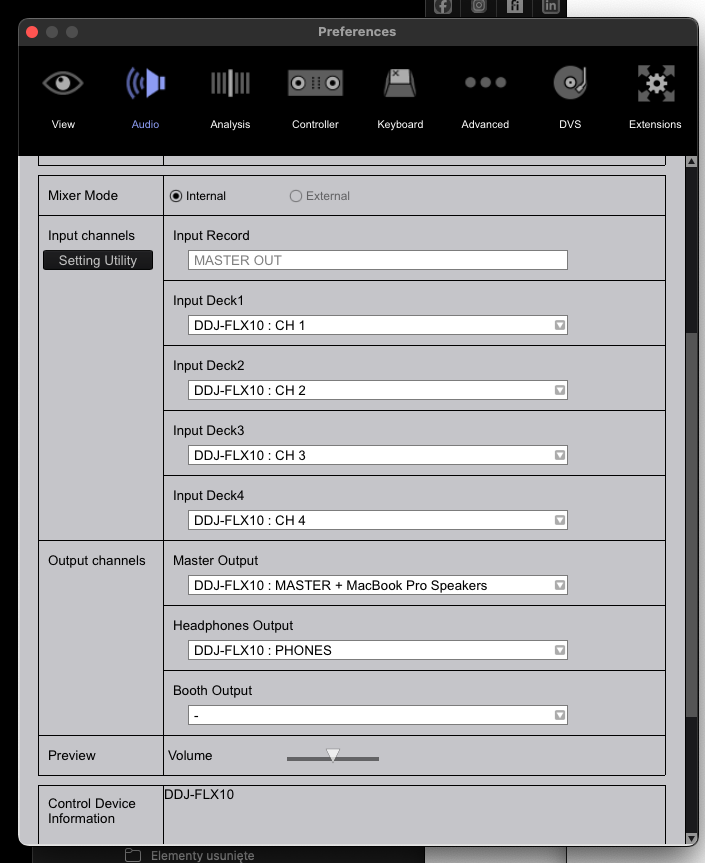
Two turntables Reloop 6000, connected to Phono at FLX. Inputs are switch to Phono. Regular vinyls with record works fine, sounds is good, loud, nice, at channels 3 and 4.
Two time codes vinyls dedicated for Rekordbox, from Pioneer.
Rekordbox 6.8.4 with Core plan activated.
When I start a timecode at turntable, Rekordbox detected signal in Record section. Green lines jumping, so software detect signal at Master.
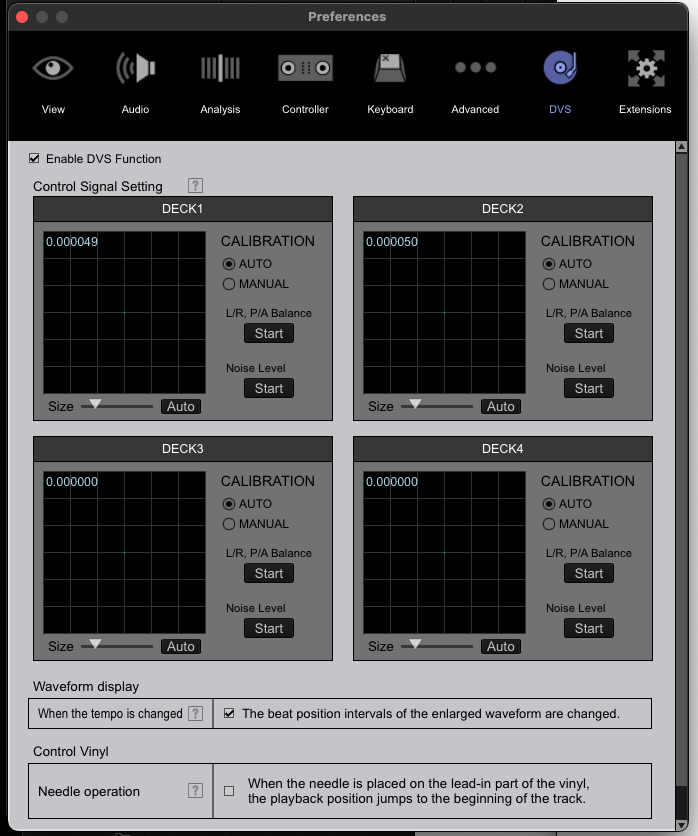
Buuut, cant run DVS. When I go to the Preferences -> DVS, It don't recognise any signal to calibration. "Enable DVS function" is checked. No any green circles.
TT's are at deck 3 nad 4, I got "PHONO INPUT" at jogs displayed. I got only noise at speakers. No matter there is any track loaded in Rekordbox to this deck or no.
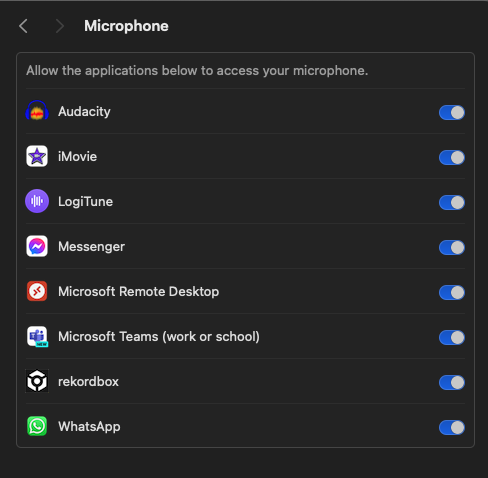
After research, I uninstalled FLX drivers from my MacBookPro (M3Pro, Sonoma 14.4), restart Macbook and install drivers again. Rekordbox has access to MIC at Security preferences on the mac.
Tried "Reset to defaults" at DVS Preferences in the Rekordbox. Tried change "Size" parameter under calibration at decks. Tried "Manual" calibration. Changed modes at Rekordbox for this Decks to Relative/Absolute. Nothings happens.
And yes, needle is on the record, its start, hear some of record noise. Run at 33RPM like the record cover said.
Any idea?
Can't find help? Search our Support Site or alternatively, reach out to our Support agents
Please see DVS setup guide below:
https://cdn.rekordbox.com/files/20200312164543/rekordbox5.3.0_dvs_setup_guide_EN.pdf
If you still have issues, then please file an inquiry ticket here and our support team will gather some additional information to assist you in resolving this issue.
Any luck? I am having the EXACT same issue.
My issue is similar running Serato, an FLX 10 & 2 Numark TT's. I've tried many things with no success over months
Can you please file an inquiry ticket here and our support team will gather some additional information to assist you in resolving this issue.
4 comments