
No audio output from headphones
Hi everyone.
I just purchased the DDJ-800 and cannot hear any audio out of my headphones.
I hope to mix just in the headphones for now as I dont have access to speakers just yet.
I have tried numerous ways of connecting the audio to my headphones however there is no audio coming out of my Macbook Air speakers nor my headphones, whether on Master OR cue.
I was hoping to get some help on how to resolve this extremely frustrating problem.
Please sign in to leave a comment.
Can't find help? Search our Support Site or alternatively, reach out to our Support agents
HEY, LET SEE THIS ISSUE IS AN EASY FIX
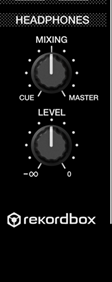
 STEP 4: MOVE TO SECTION LABLED HEADPHONES (REFER IMAGE) MAKE SURE THE FIRST KNOB IS SET TO THE 12 O'clock position, the second Knob is your HEADPHONE VOLUME CONTROL which can be adjusted to the desired volume
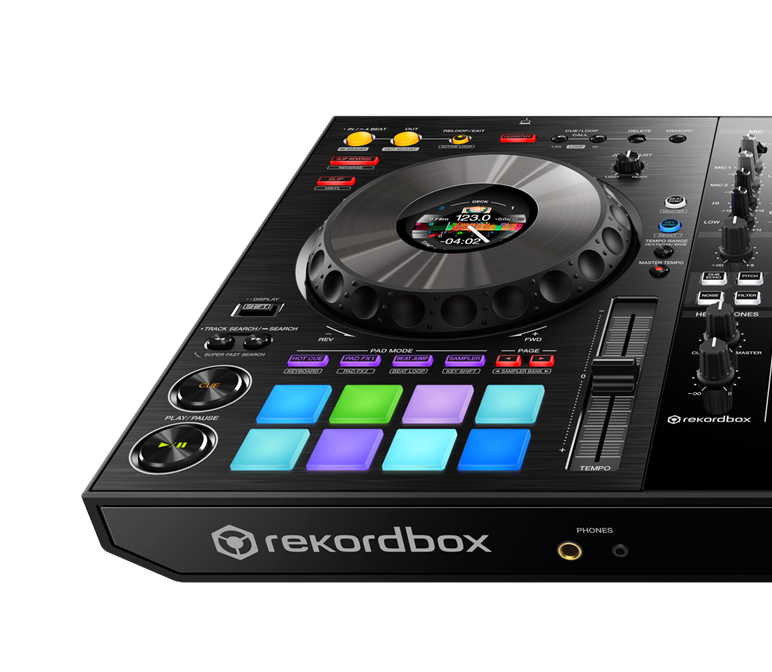
STEP 1: PLUG IN YOUR HEADPHONE THROUGHT THE HEADPHONE OUTPUT (REFER IMAGE)
STEP 2- LOAD A TRACK TO DECK 1 OR 2 (ANY WILL DO)
STEP 3 - Play the TRACK on the Loaded DECK
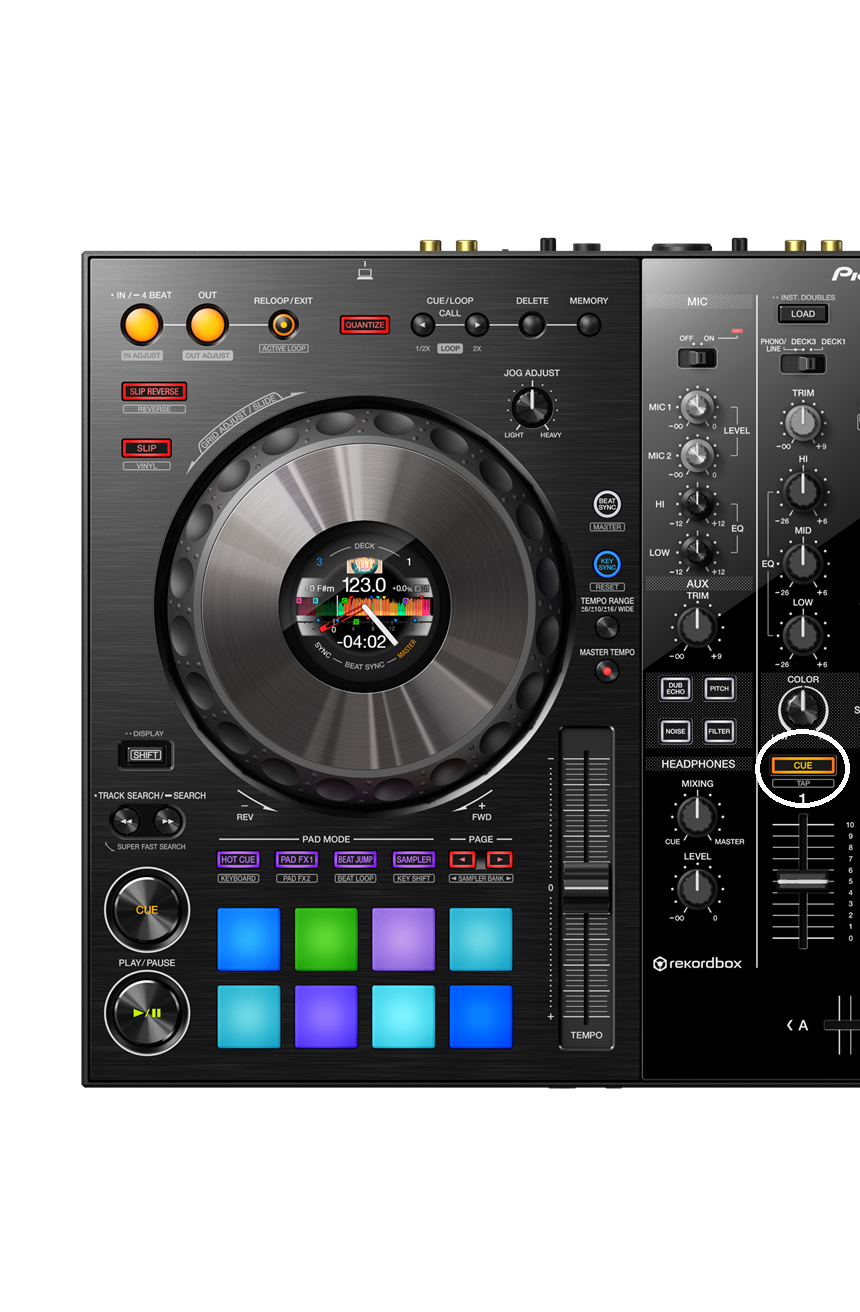
STEP 4 - LOCATE THE CUE BUTTON ON THE MIXER (REFER IMAGE)(IF YOU ARE PLAYING FROM DECK 1 PRESS THE CUE BUTTON ON CHANNEL 1 THE SAME APPLIES TO DECK 2)
Hopefully, this solves your issue, Have a great day!
1 comment