
ADJ - Inno Pocket Scan
Hello! This scanner works great with RX and my DDJ-FLX-10. The only issue is the color wheel and gobo wheels are the same. Currently the color wheel/gobo wheel is assigned to 'color wheel' selector making it difficult to access all of the colors and features. Since the gobo wheel is now accessible in Rekordbox if you switch the 'color wheel' functionality to the 'gobo wheel' we should be able to access all of the features and colors. Would you be able to update this fixture? Every thing else works great! Thank you!
- ADJ
- Inno Pocket Scan / INN762
- Scanner
- https://www.adj.com/inno-pocket-scan
- Manual
- DMX channel modes (where available)
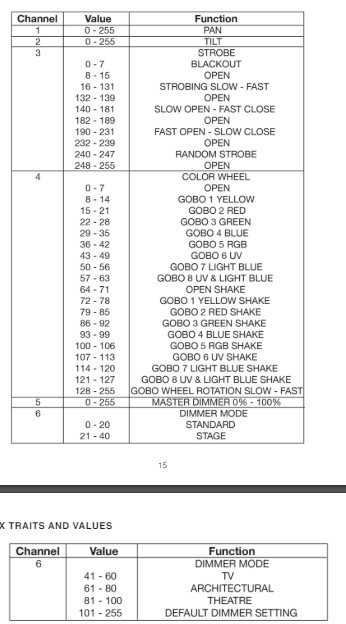
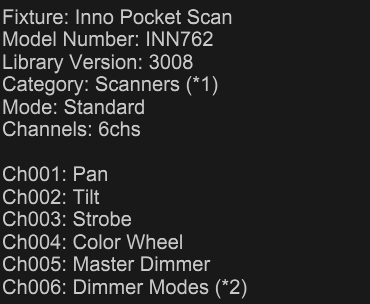
- Current Rekordbox Profile
Please sign in to leave a comment.
Can't find help? Search our Support Site or alternatively, reach out to our Support agents
We are waiting gobo information from ADJ and we will get back to you soon.
On behalf of Pioneer DJ,
AtlaBase Ltd
Your fixture request has been updated in the AtlaBase library. It will be reflected in the next rekordbox fixture library update (performed once a week on Wednesday or Thursday except for the national and company holidays). Please find the latest list of the library fixtures here (under Fixture library lists).
On behalf of Pioneer DJ,
AtlaBase Ltd
Hi Pavlos!
Thank you for getting that update from ADJ! Looks like the database was updated to show ch004 is a color/gobo wheel yay!
The light is still set up the same way where you have to use the color picker. This makes some of the gobos inaccessible. Her is an overview of the Gobo/Color wheel.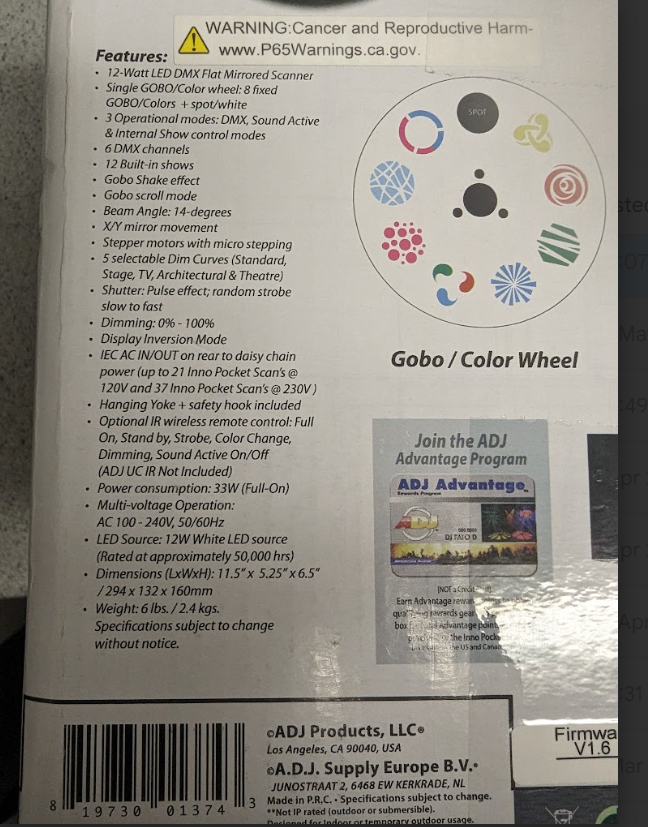
Rekordbox does not understand how to display the split colors since there is no option for them in a RGB color picker.
I have tried the gobo input.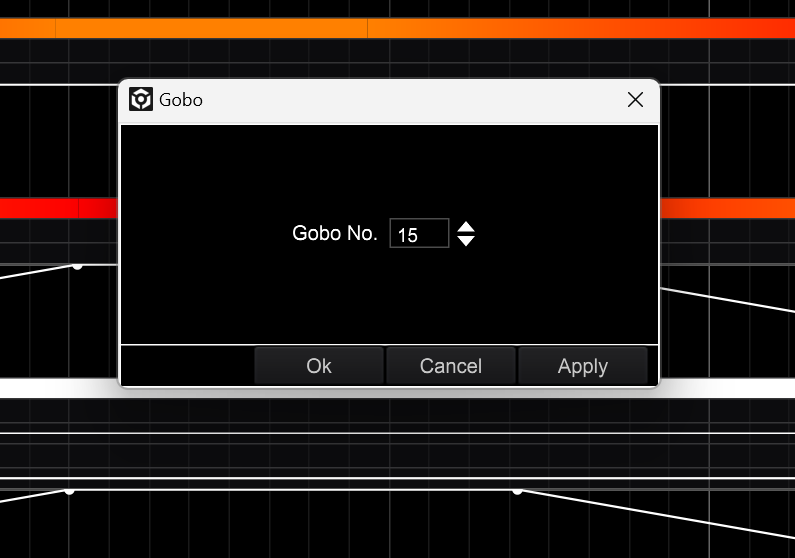
According to the lights manual GOBO 15 - 21 should display 'red' but does not change the gobo to 'red' it just stays in the open position. Same goes for any gobo i select and hit 'apply' and the 'save.'
Is there a way to operate the wheel using 'Gobo setting' inputs instead of using the 'Color setting?' I think that would resolve the issue.
Thank you for your time!
Hi, good to hear that this has been sorted out. Regarding color, let me note this:
There is no color wheel, the product is using only one wheel with colored gobos, there is no separate color wheel. And probably for that reason rekordbox sees these gobos simply as gobo patterns and discards all color information. The color is integrated inside the gobo image.
On behalf of Pioneer DJ,
AtlaBase Ltd
Right, there is no color wheel but rekordbox assigns the operation, of the single wheel, to color. Is it possible to operate the gobo wheel as a gobo wheel instead?
Oh awesome looks like it got switched over. I can access all of the colors and split colors now using the gobo menu instead of the color menu. If you wanted to add the shake gobos and rotation gobo the would be cool too but I understand if that is not possible. Thanks again!
6 comments