
File Is Already in Collection Error
I recently moved my Rekordbox library from an old laptop that's on its last legs to my PC.
On my old laptop, I managed my music via iTunes, loading songs into iTunes and then dragging them into Rekordbox.
For the transfer, I backed up my library and moved all the contents from my USB into a Dropbox folder to easily access them on my PC.
I successfully imported my library on the new computer and auto-located all the tracks from the Dropbox folder. However, of the roughly 3500 songs in my collection, about 570 are still missing, even though the files are clearly in the Dropbox folder. When trying to auto-locate these missing files, I receive the "Track exists in the collection" error message BUT there is no duplicate track listed in my collection. I've even tried adding the "missing" songs again by individually dragging from Dropbox into Rekordbox, but nothing happens because Rekordbox sees the file as already being in the collection.
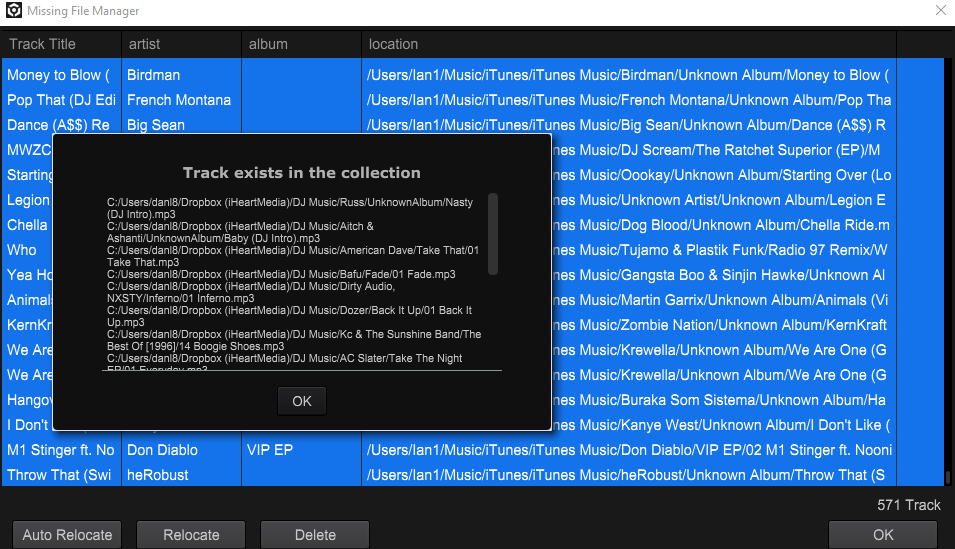
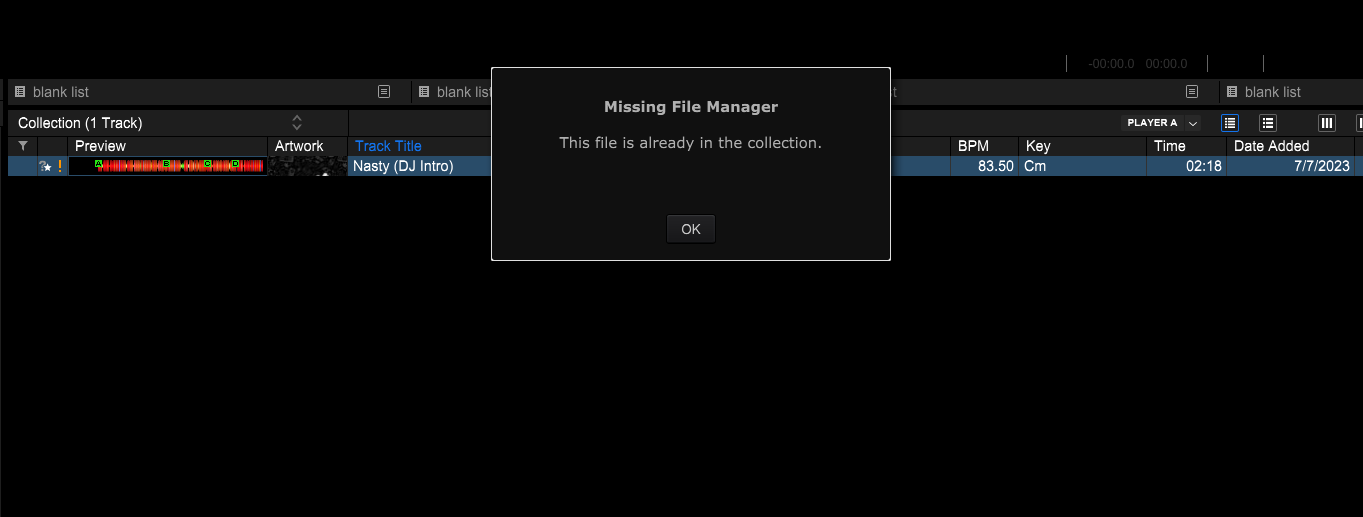
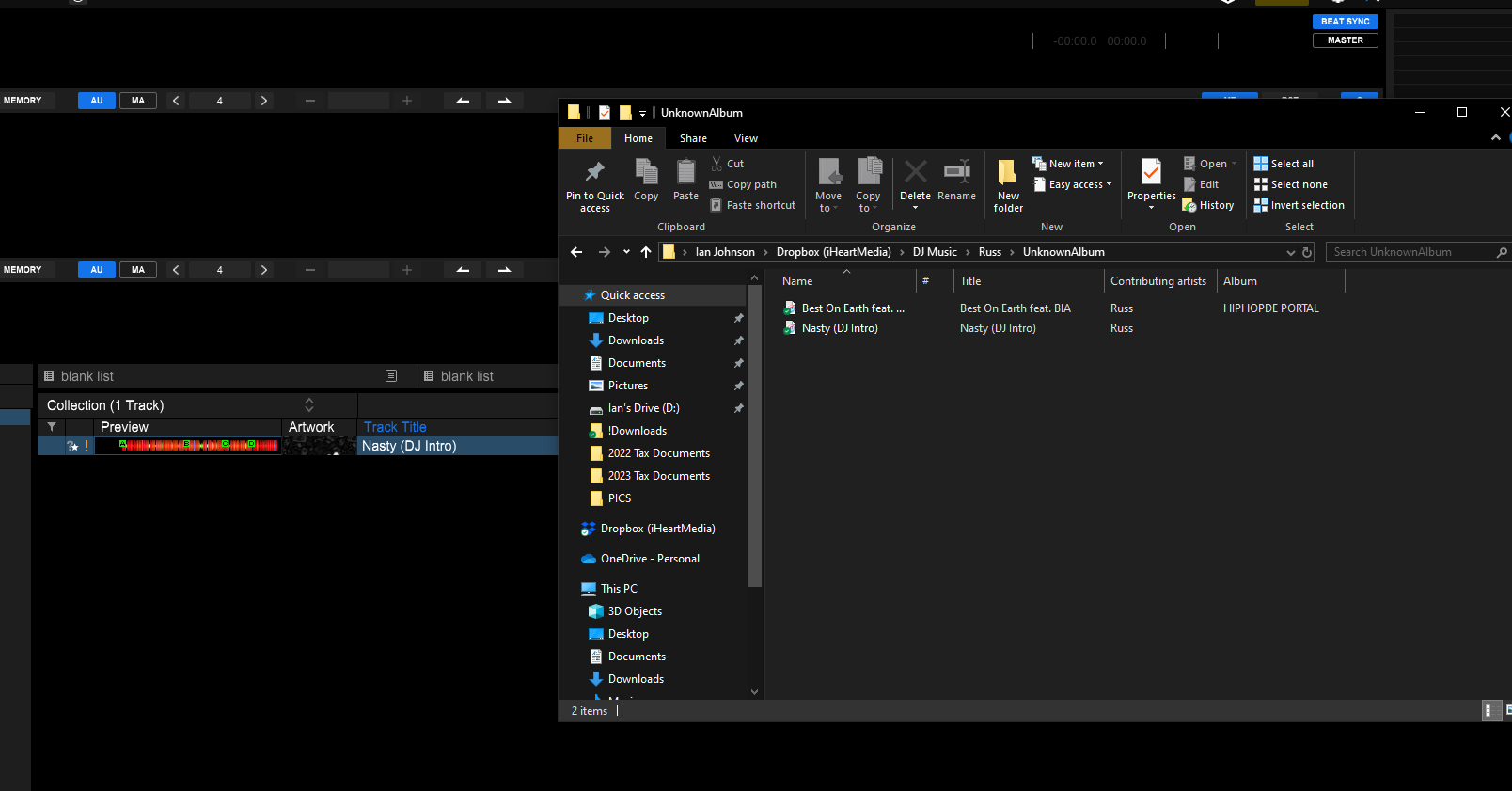
As you can see in my attached screenshots above, the example song 'Nasty' by Russ is "missing" from my collection but the file is clearly in the Dropbox folder AND there isn't a duplicate version in the collection. What gives? I am at a loss for what to do to remedy this situation, please advise.
Can't find help? Search our Support Site or alternatively, reach out to our Support agents
If rekordbox shows "track is already in the Collection", it means the music file you are going to select to relocate has been imported in the Collection.
Please show the Location column and find the track imported from the new location and remove it from the Collection.
Then relocate the missing track again.
After searching the forums for a solution and finding no acceptable option, I tried something and came up with a workaround. Depending on the number of tracks missing that won’t relocate (even though the file is in the proper location), this can be a bit time-consuming. But it’s better than losing all cue points and analysis data.
Another option: Change some data in the "Get Info" panel that can also change the file or folder, like the track number. This should work too.
It seems that Rekordbox is really dumb and once a file name is entered on the database, it won't accept the same file name, even though there is no duplicates on the Collection (like so many of you reported as well).
PS: I tried to revert the name of the track back to when it was "Extended Mix" to see if Rekordbox would let me relocate it, but this did not work on my tests. So whatever changes you make, be sure you can live with it. You can always change the name of the track within Rekordbox, so you're all golden at the end of the day.
Good Luck!
2 comments