
Could not acquire data to run Collection Radar/Streaming Radar
When I click in Rekordbox 7.0.2 on
Display Track Suggestion (bottom left) > Streaming Radar
I see the error message: "could not acquire data to run Collection Radar/Streaming Radar"
Why and how can this be fixed?
Please sign in to leave a comment.
Can't find help? Search our Support Site or alternatively, reach out to our Support agents
Perhaps the tracks were imported from rekordbox 6 and Radar Analysis is not completed for the tracks?
Please open Preferences->Analysis, enable Radar Analysis, and execute "Add New Analysis Data" by right-clicking the tracks.
Streaming Radar seems to only work when in Performance mode. Such a bad user experience.
Export Mode:
Performance Mode:
As it turns out the Streaming radar needs to be logged in to a streaming service in order to work.
That's why it didn't work in my case.
I have similar issue and tried to enable all streaming services check box, and suddenly it work! (By default this beatport checkbox was checked after login, this make me feels it is already enabled, but I guess it is not really enabled at the background/system level, that's why the function won't work for me at first)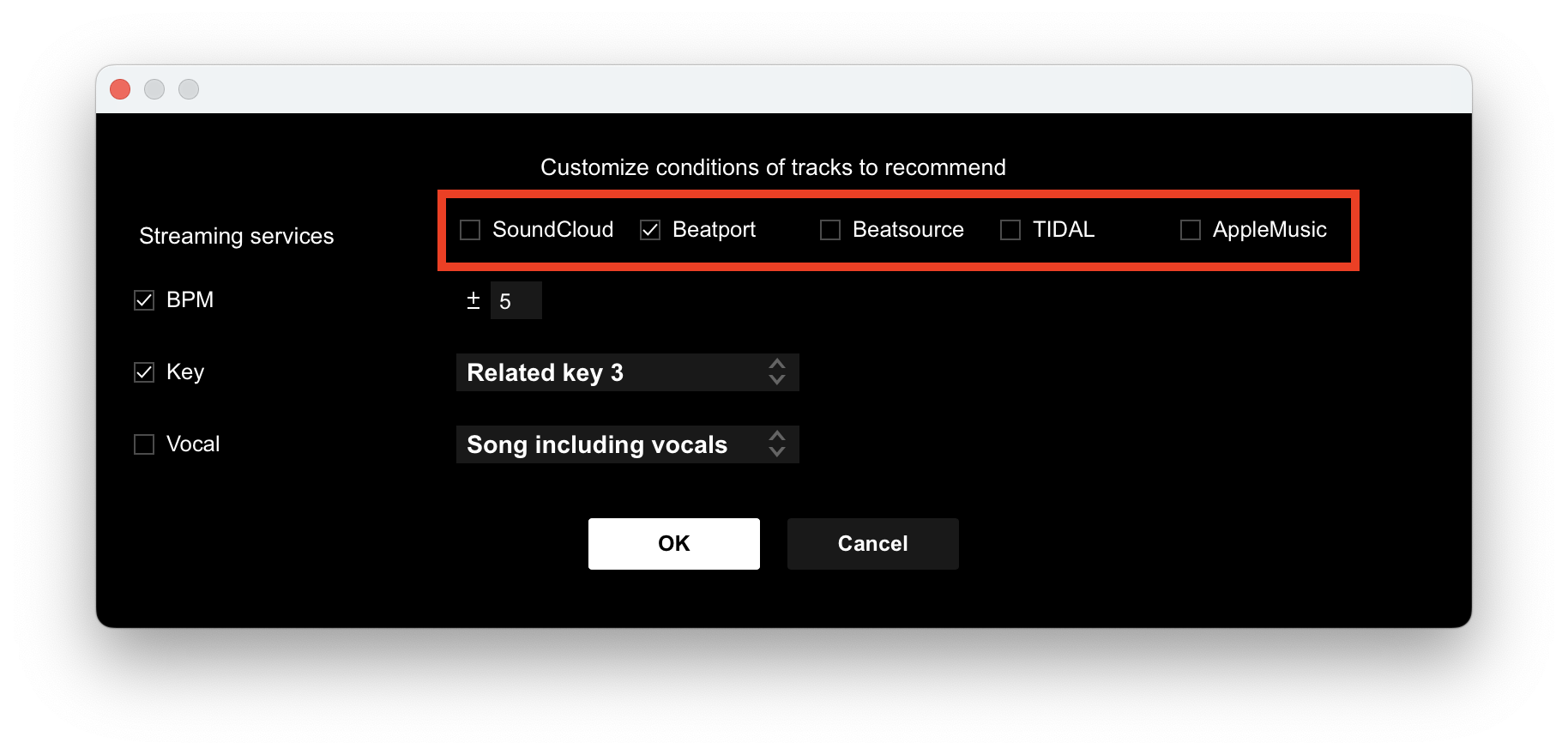
4 comments