
Why does setting Lo-Band EQ to minimum increase the volume by +3dB on XDJ-AZ?
On May, 21 my new XDJ-AZ arrived at my home. A giant box containing a giant machine. After switching on and getting a firmware update to V1.22, I installed also the driver for Windows. Now it was usable with rekordbox (7.1.3) and I had to do a mix immediately. Works fine, I noticed that my fingers had to adapt from XDJ-RX3 / DDJ-FLX10 for the Play / Cue buttons. While the mix was getting longer, I saw that by reducing Lo-Bad EQ of a playing channel caused a volume increase by +3dB. Not only on channel fader, but also on master volume meter. And, not completely unexpected, this is also visible / audible in the recorded wave file. I did the recording with USB stick plugged into port 1. Same happens if I record it via rekordbox directly in PC. This behavior was new to me, I never saw this before on XDJ-RX3 or DDJ-FLX10.
Can somebody give me an explanation why this happens? I don’t find a reasonable explanation on my own – but it makes EQ mixing difficult for me. And in the forum I found already other entries where the same behavior is described.
The rest is working fine at my place – at least the functions I used so far. One more thing: if I plug the wired headphone (HDJ-X7) I can hear a constant oscillating high frequency signal at very low level. I’m an older guy, but as my ears are still fine, I can hear it. I could narrow it down to the headphone output. This signal is not present in a recording or the normal output. So I think I will live with it – as soon as there is music or any other signal, it’s no longer audible.
Has anybody an idea about the level increase if Lo-Band EQ is set to minimum?
Picture: usually I set the level so 0dB (first yellow LED) is reached. Now, after engaging Lo-Band EQ to minimum, it looks like this:
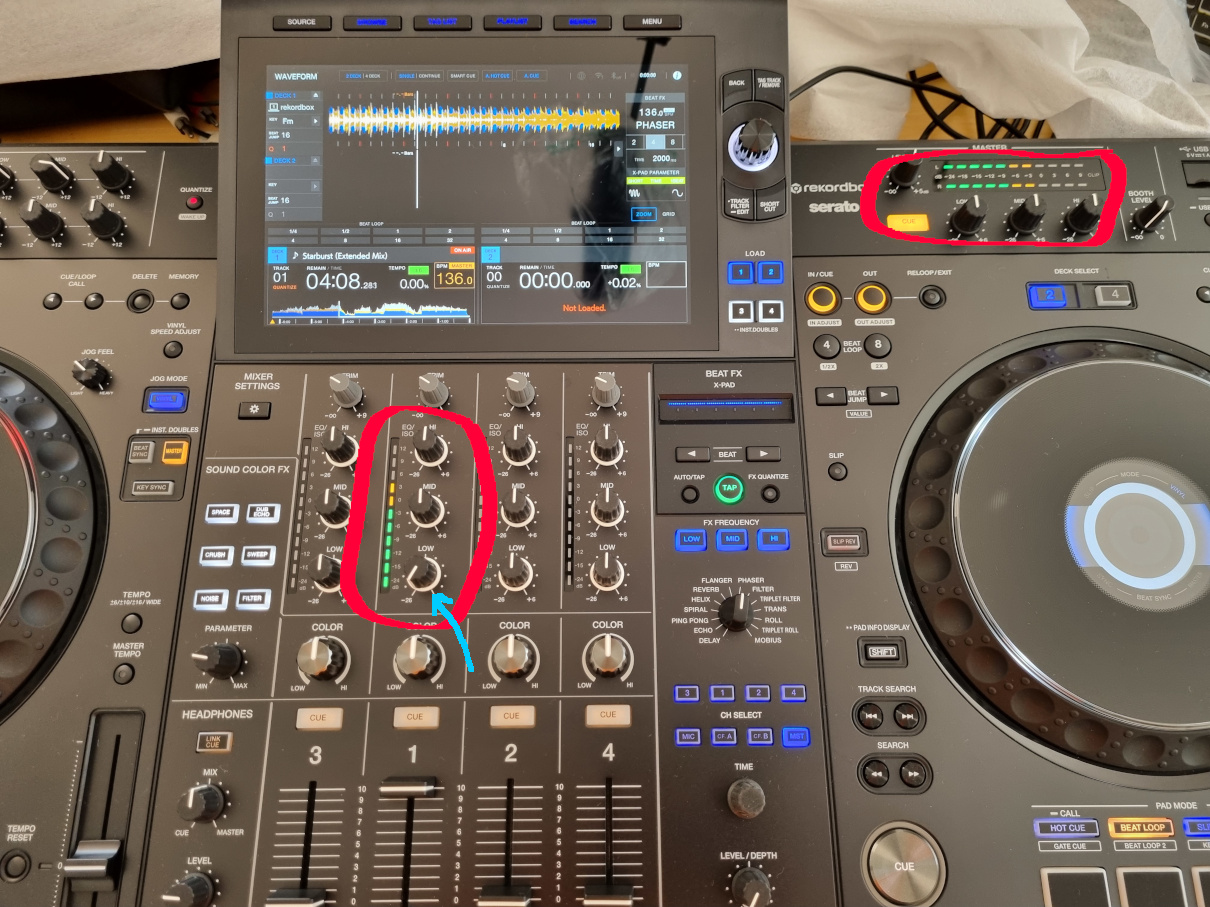
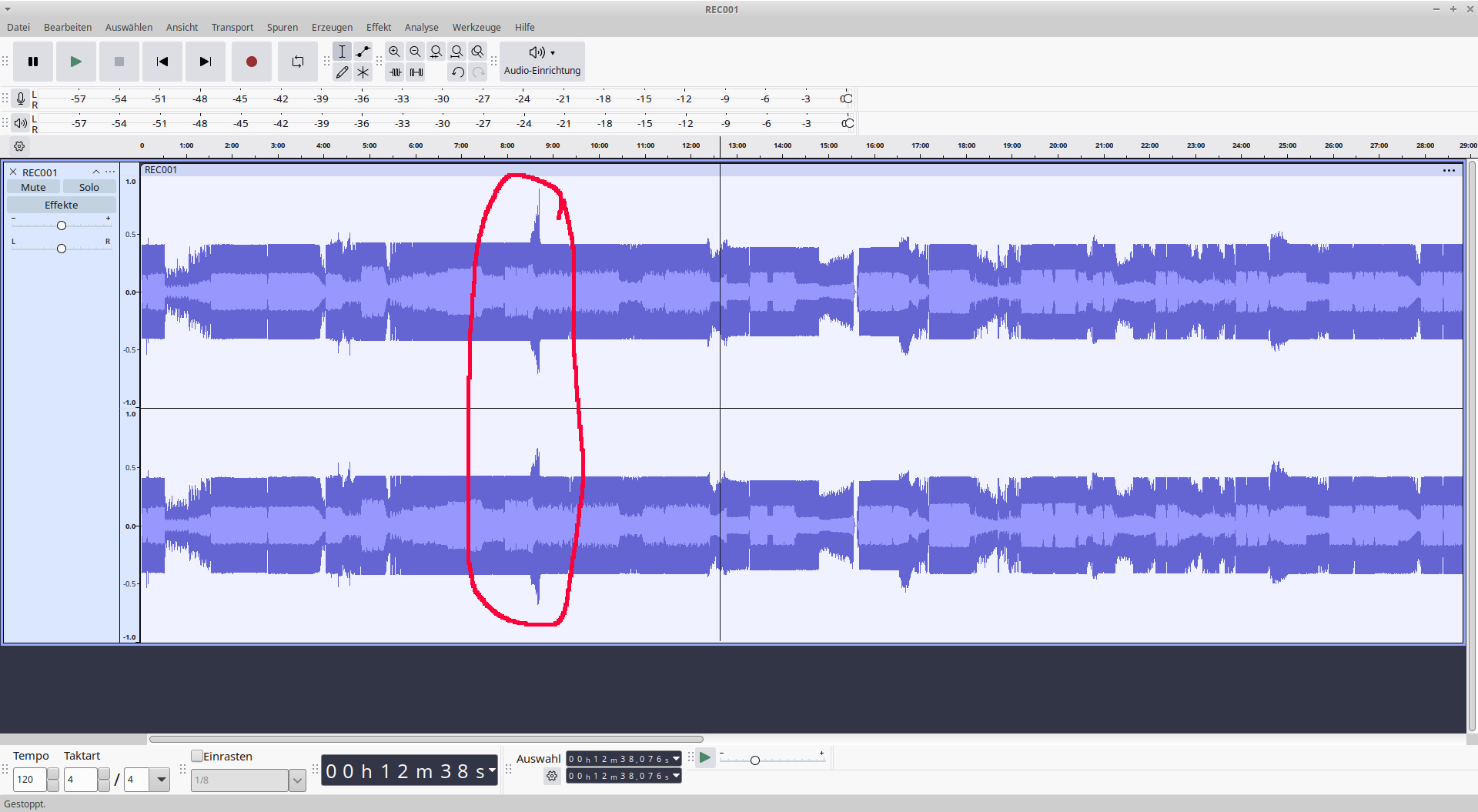
In the recorded wave it’s also visible.
Can't find help? Search our Support Site or alternatively, reach out to our Support agents
According to the article below, this is normal behavior. (Normal)
https://www.soundonsound.com/sound-advice/q-why-does-using-high-pass-filter-make-things-seem-louder
https://sound.stackexchange.com/questions/24981/why-is-my-cutting-equalizer-increasing-output-level
1 comment