
switching Samplingfrequence on the USB Input?
Hey folks,
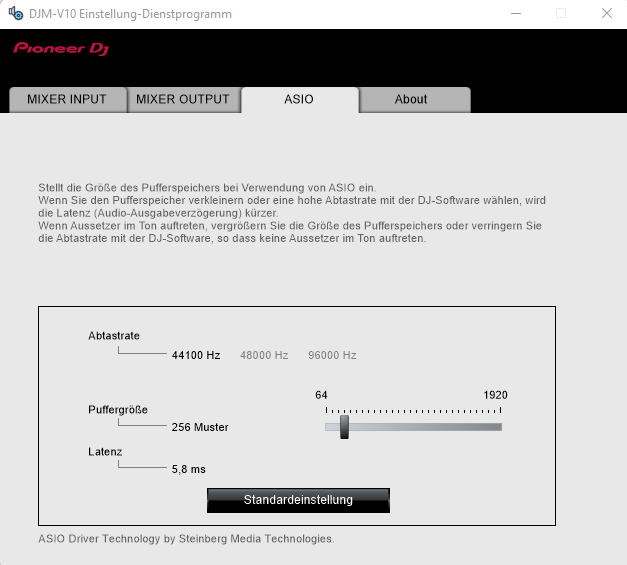
why it´s not possible to me switching the Sampling-Frequence from 44,1 to
48 or 96kHz (48 and 96 is grey and not activatable)? i disconnected the V10 on the softwareside (who is still connectet via USB) from all my windows audio conections but at the pioneer V10 Software it´s never possible to swith to 48000 or 96000Hz :( The V10 is internaly switched & working with 96khz!
Please sign in to leave a comment.
Can't find help? Search our Support Site or alternatively, reach out to our Support agents
Sampling rate can be changed in rekordbox. If you change the frequency on rekordbox Audio > Configuration > Sample Rate, the setting will be reflected to the Setting Utility.
1 comment