
No Audio Output from FLX4 with Headphone Mix Knob Turned to Full Master
I am using a FLX4 with a Windows 11 Laptop.
I have the laptop hooked to power and my headphones connected to the FLX4.
Outputs on Rekordbox are all set to Phones (Wasapi Driver)
When I have a track playing with the fader and trim up, with headphone mix set to center (Cue and MST), the cue works, audio plays as normal.
But when I turn the headphone mix all the way to master, all audio just fades out and there is NO audio coming out of the headphones for the master channel. Master CUE has no effect.
Master audio works normally when I hook up the controller to external audio via RCA cable, but still no way to listen to just master in the headphones.
So essentially, I can only listen to cue audio or a mix of cue and master, but no way to listen to only master in the phones.
Very baffling and heavily affects the usability of this controller.
Several other users on Reddit are running into the same issue here.
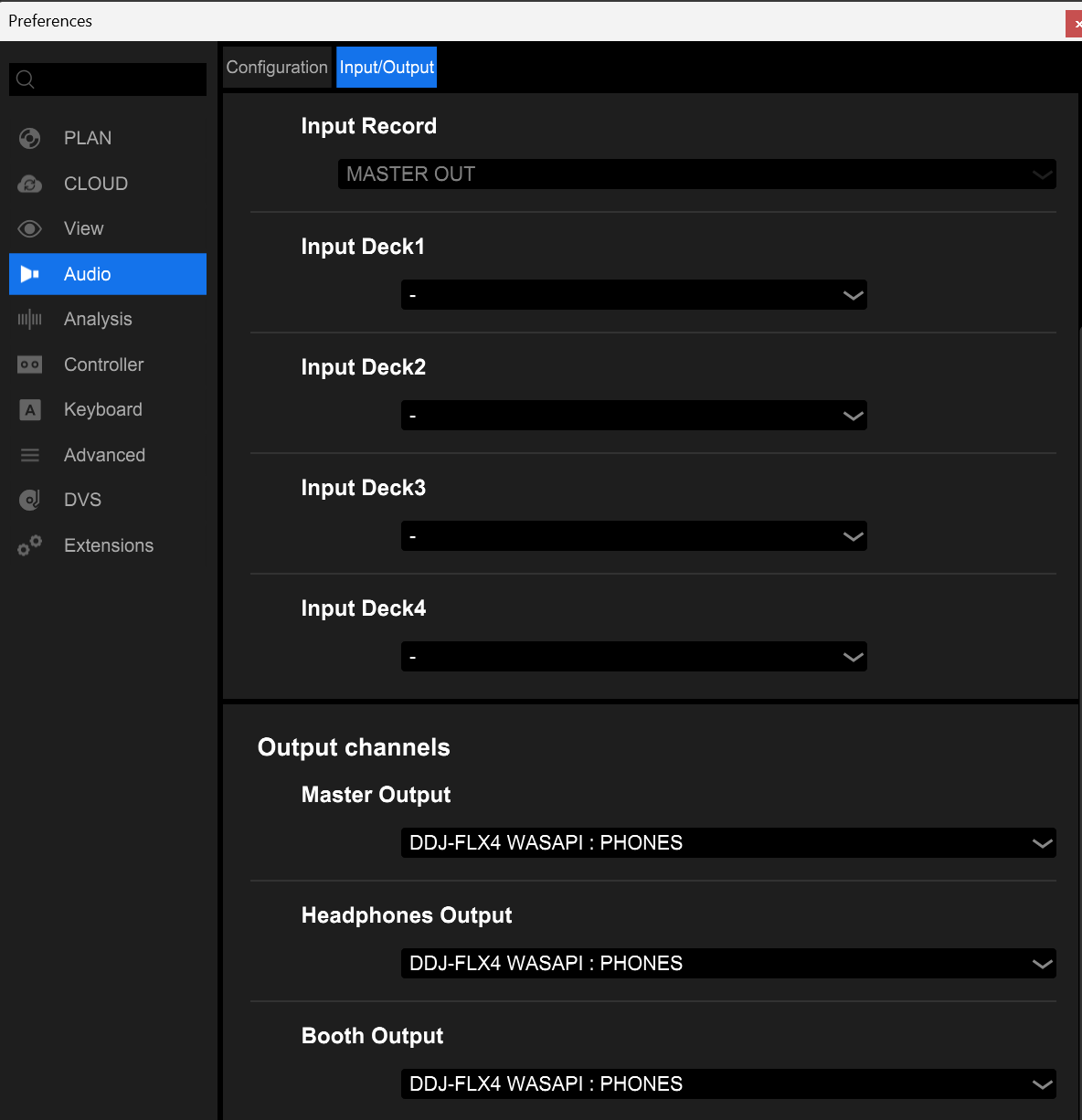
Windows OS Version: 26100.7462
Rekordbox version 7.2.10
FLX4 Firmware version 1.07
Can't find help? Search our Support Site or alternatively, reach out to our Support agents
Hi there,
Unfortunately this is a limitation of the WASAPI audio driver, as it can only send 1 output unless it detects an RCA connection, which is why it works as you say when you have speakers connected. By contrast, Mac OS (Core Audio) and ASIO drivers are capable of sending the output to multiple buses.
However, once you do connect an RCA output, you can monitor the master CUE in the headphones as you desire, just press the Master CUE button located under the Master Level. You can turn the volume down of your speakers for those late night practice sessions.
Unbelievable. So the functionality of this controller is crippled out of the box by default for Windows.
Well, I've gone and tried to switch to ASIO drivers and they are not configured for the FLX4, so the headphone out on the FLX4 output is not selectable, just the laptop speaker outs show.
I am wondering if someone can fix this via a third-party driver or some other method.
Can you try selecting DDJ-FLX4 WASAPI : Master as the Master Output, then select Master CUE on the FLX4, turn headphone mix knob fully to master and check if you hear the audio?
3 comments