
Rekordbox Auto Relocate resulting in broken file path/Location "Track already exists in collection"
I am moving my Rekord box to a new computer.
I have saved my Library and have successfully moved it to the new machine. The new machine has a different named root drive, but all other file path information is the same.
When I attempt to Auto Relocate to update the Location of these files, Only some are updating. The rest are keeping the old file path - resulting in a missing file. When I try to Auto Relocate these individual Missing files I get the dreaded "File already Exists in collection" prompt.. (why you cant just then merge the references i dont know but thats a different issue)
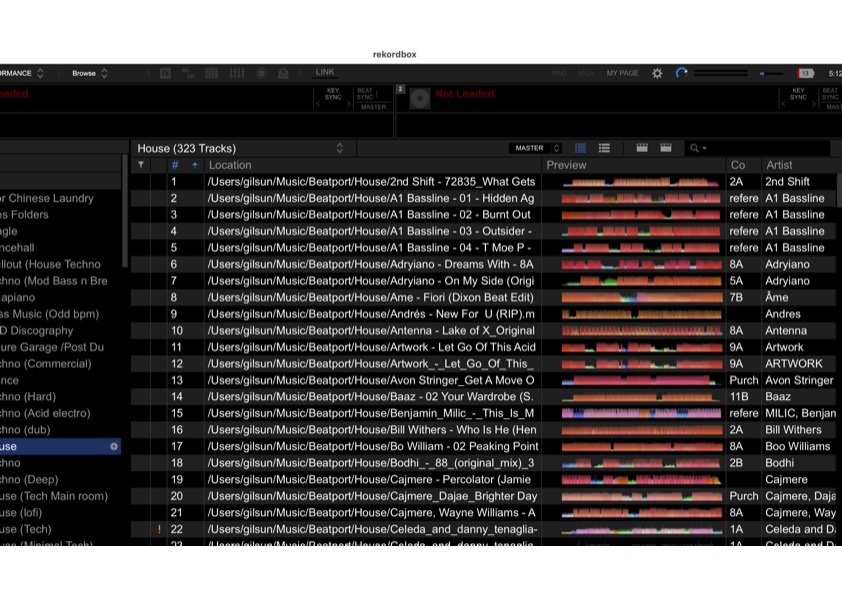
Below is an image of my old library where you can see the file path is correct.
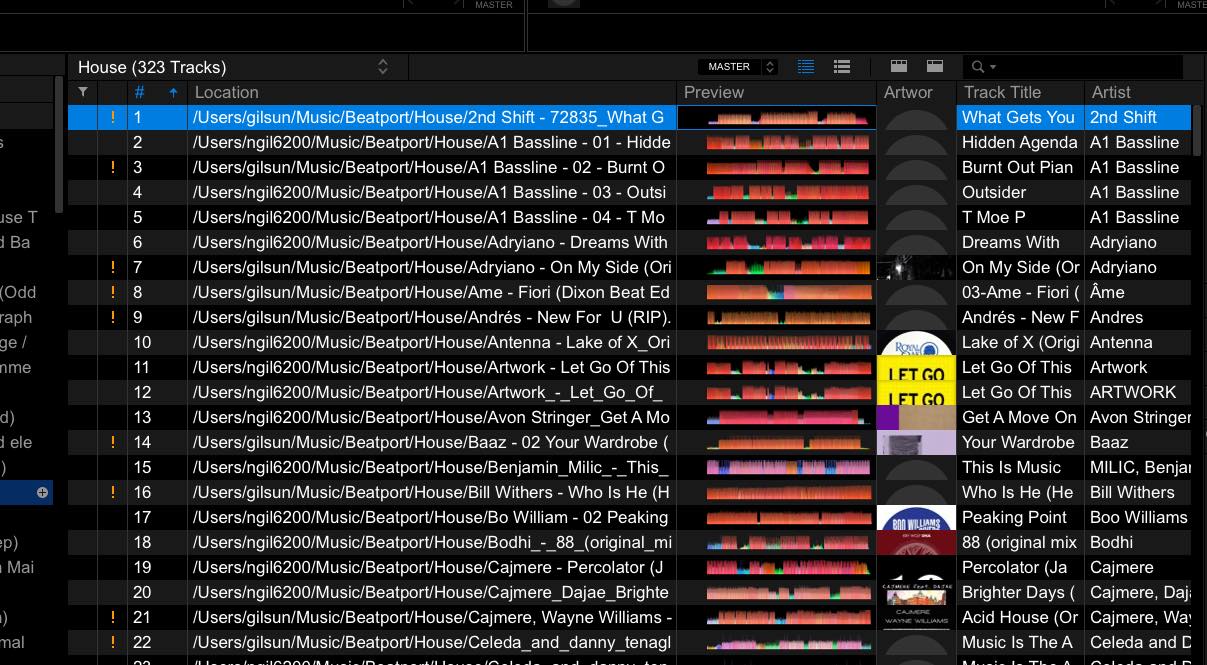
Then here is the collection on my new machine after Auto - Relocate where some Location/file paths have updated correctly and some have not.
Why is this happening and how can I get it to update all files correctly? My collection is very large and to manually correct will be extremely tedious!
Can't find help? Search our Support Site or alternatively, reach out to our Support agents
If rekordbox shows "track is already in the Collection", it means the music file you are going to select to relocate has been imported in the Collection.
Please show the Location column and find the track imported from the new location and remove it from the Collection.
Then relocate the missing track again.
@Gabriel, the problem with that instruction is you will lose any data (tags, play counts etc) if you remove the track from the collection.
2 comments