
Ctrl Delete RB 7.14 does not delete from Collection when in Playlist
When doing the following, I noticed that the shortcut Ctrl+Delete does not remove track from Collection. Which is very annoying and now I can start all over again.
I wanted to clean up my Collection by removing all duplicates. So those are the steps I took:
- File / Display all Duplicated Files
- Let RB search and display the pop-up with all duplicates
- Selected all tracks and added them to seperate Playlist called #Duplicates
- Opened the Playlist #Duplicates so that I can manually check detailed Info (like bitrate, lenght, location)
- When decided what duplicate track(s) to delete, I used the shortcut Ctrl+Del
Only after repeating this procedure for over 80 tracks, I noticed that the number behind ALL TRACKS did not decrease. So I did a File/Display all Duplicated Files again. WTF, all duplicates were still there!!! So all my work for nothing.
It seems that the shortcut Ctrl+Del does not work when selecting tracks from within Playlists.
Checked the Preferences, but that not clear from there.
Is there a way to directly Delete tracks from Collection working from within Playlist?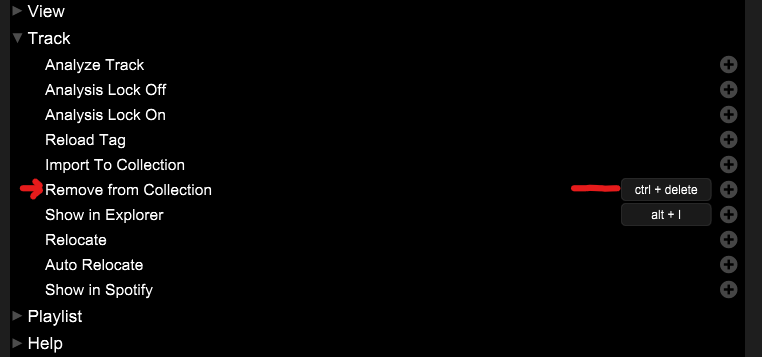
Can't find help? Search our Support Site or alternatively, reach out to our Support agents
Track won't be removed from the Collection when deleting it in a playlist.
By executing "Remove from Collection" in the right-click menu with a track in a playlist, the track will be removed from the Collection.
But this option is not available with keyboard shortcut.
1 comment