
Issue with Alphanumeric Keys (Camelot) using Beatport on Firmware 1.30
Hi everyone,
I’m running into a frustrating issue with my recently purchased XDJ-AZ after updating to firmware v1.30. Everything worked fine on the previous version, but now I’m having trouble with the key display format.
The Issue
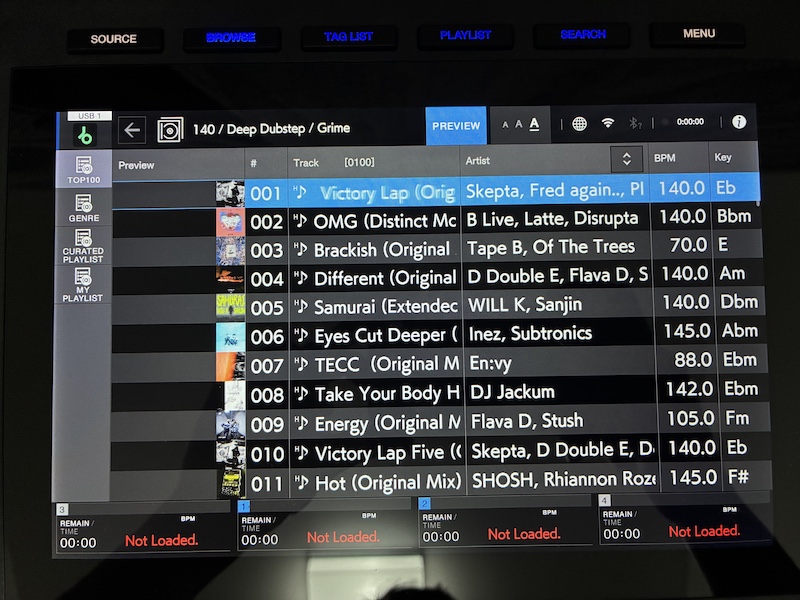
When I use Beatport Streaming directly on the hardware, the track keys no longer appear in the alphanumeric format (1A, 1B, 2A, etc.).
Troubleshooting Steps Taken
-
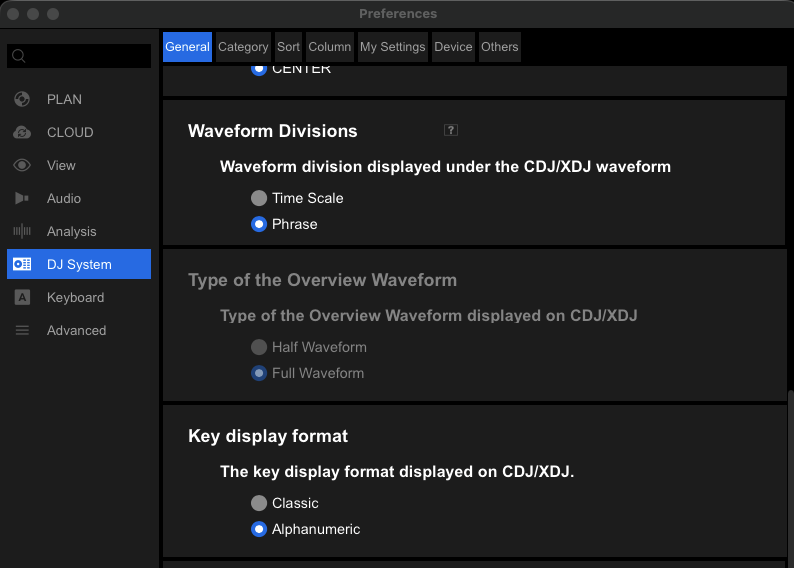
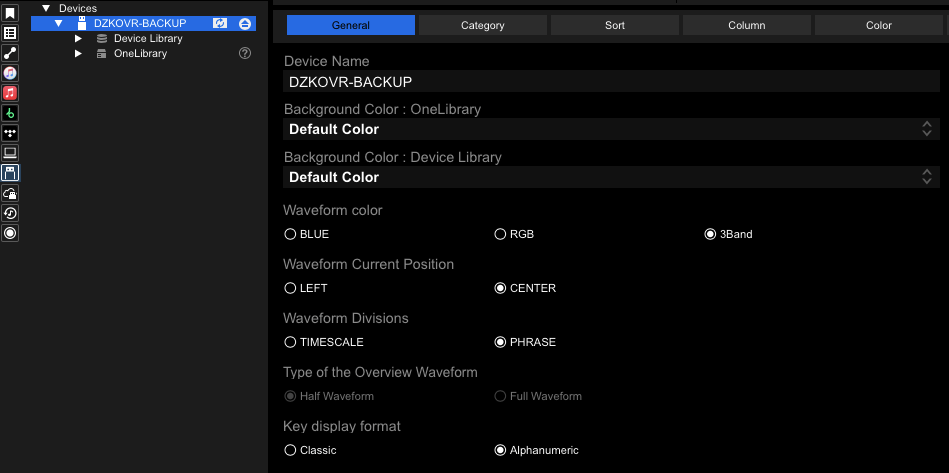
I changed the settings in rekordbox (PC) to display alphanumeric keys and exported these settings to my USB drive.
-
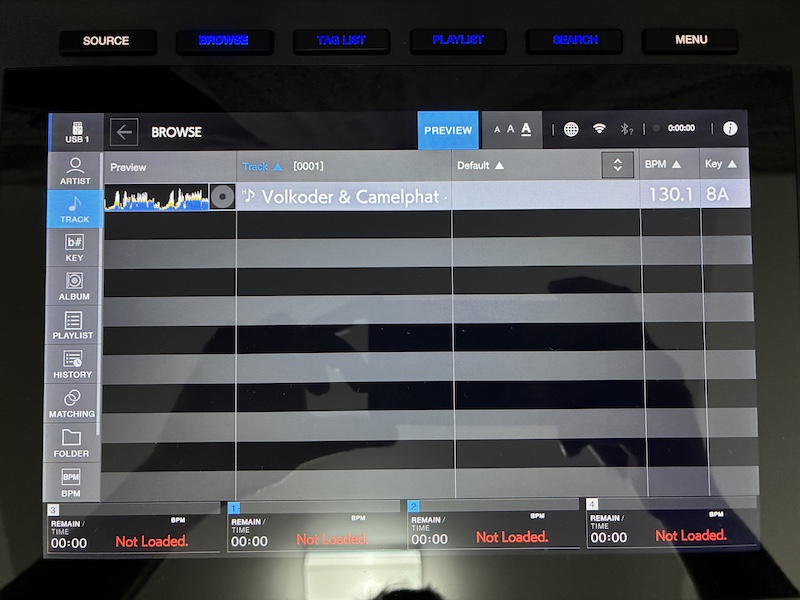
Tracks loaded from the USB drive: Keys display perfectly in the alphanumeric format.
-
Tracks loaded via Beatport Streaming: Keys revert to the standard musical format, ignoring the USB settings.
-
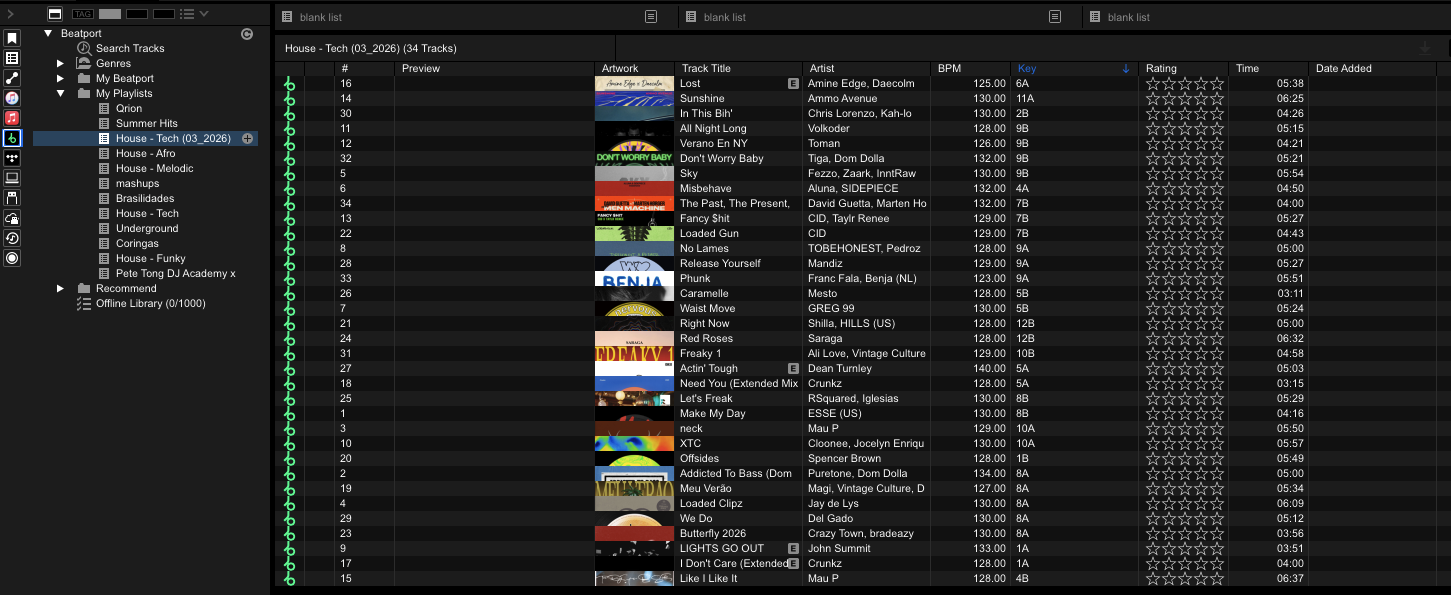
In the rekordbox PC app: Beatport tracks do show up correctly in alphanumeric format.
This leads me to believe the settings export works, but the AZ is currently failing to apply those preferences to streaming sources.
Screenshots for Context
Additional Context
I've noticed similar key display issues with Apple Music and Tidal, but Beatport is my primary source for playlists right now. I considered downgrading the firmware, but v1.30 brought some great features like the 4-deck simultaneous display that I really don't want to lose.
Honestly, it's a bit disappointing. I chose the XDJ-AZ over the XDJ-RX3 specifically for its advanced Beatport streaming capabilities. Between this bug and the lack of lossless streaming support (something even entry-level Engine DJ gear like my old Numark Mixstream Pro Go handles easily), I'm feeling a bit let down by the software side of things.
Has anyone else encountered this bug on v1.30? Are there any known workarounds, or is AlphaTheta/Pioneer aware of this?
Thanks in advance for any help!
Can't find help? Search our Support Site or alternatively, reach out to our Support agents
Starting with version 1.30, streaming must be configured to the cloud, not via USB.
Are the following turned on?
Spot on! ... after 2 months of looking for a solution and reading about the exact same problem on several forums, this was the fix! Solved!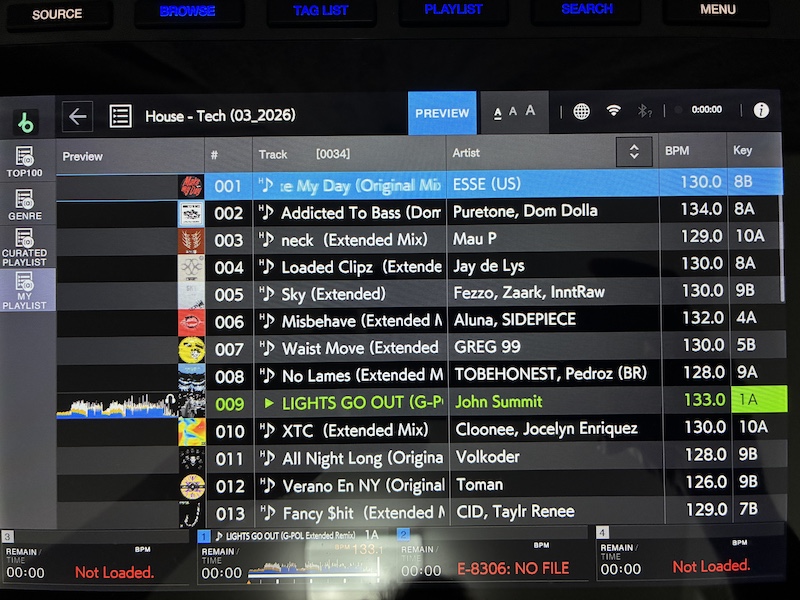
I'll share this solution with people having the same issue on the other forums I checked...
However, I think it would be helpful to make this aspect more explicit in the v1.30 release notes, or maybe include a pop-up during the streaming setup, instead of just changing the setting without much of an explanation.
Thank you so much!
>I'll share this solution with people having the same issue on the other forums I checked...
Could you please share the above forum for reference?
3 comments