
DDJ-GRV6 – Incorrect Stem Pad Mapping
Hello everyone,
I recently purchased a DDJ-GRV6 controller, and while checking the device, I noticed that the buttons used to activate/deactivate the stems (as well as the Stem FX) are mapped in a different order from the one displayed in the Rekordbox interface (I have attached some photos for reference).
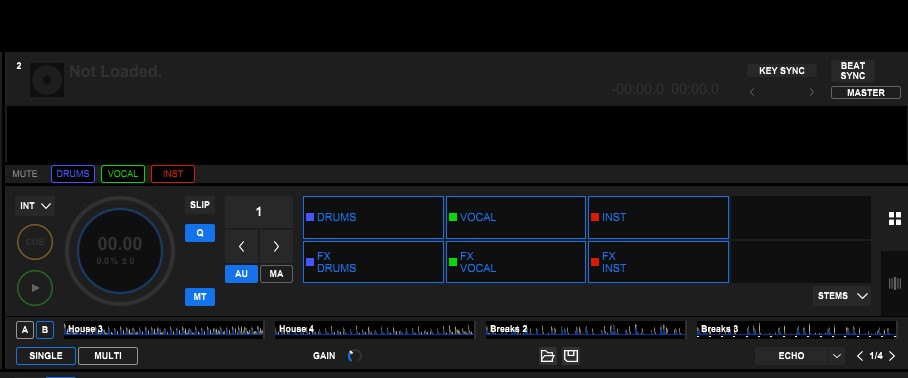
Based on what I see in the Rekordbox interface, I would have expected Performance Pad 1 to control the activation/deactivation of the drums, Pad 2 the vocals, Pad 3 the instrumental, and Pad 4 to produce no result.
Instead, I have found that Pad 1 controls the vocals, Pad 2 controls the instrumental, Pad 3 also controls the instrumental (the same function as Pad 2), and Pad 4 controls the drums.
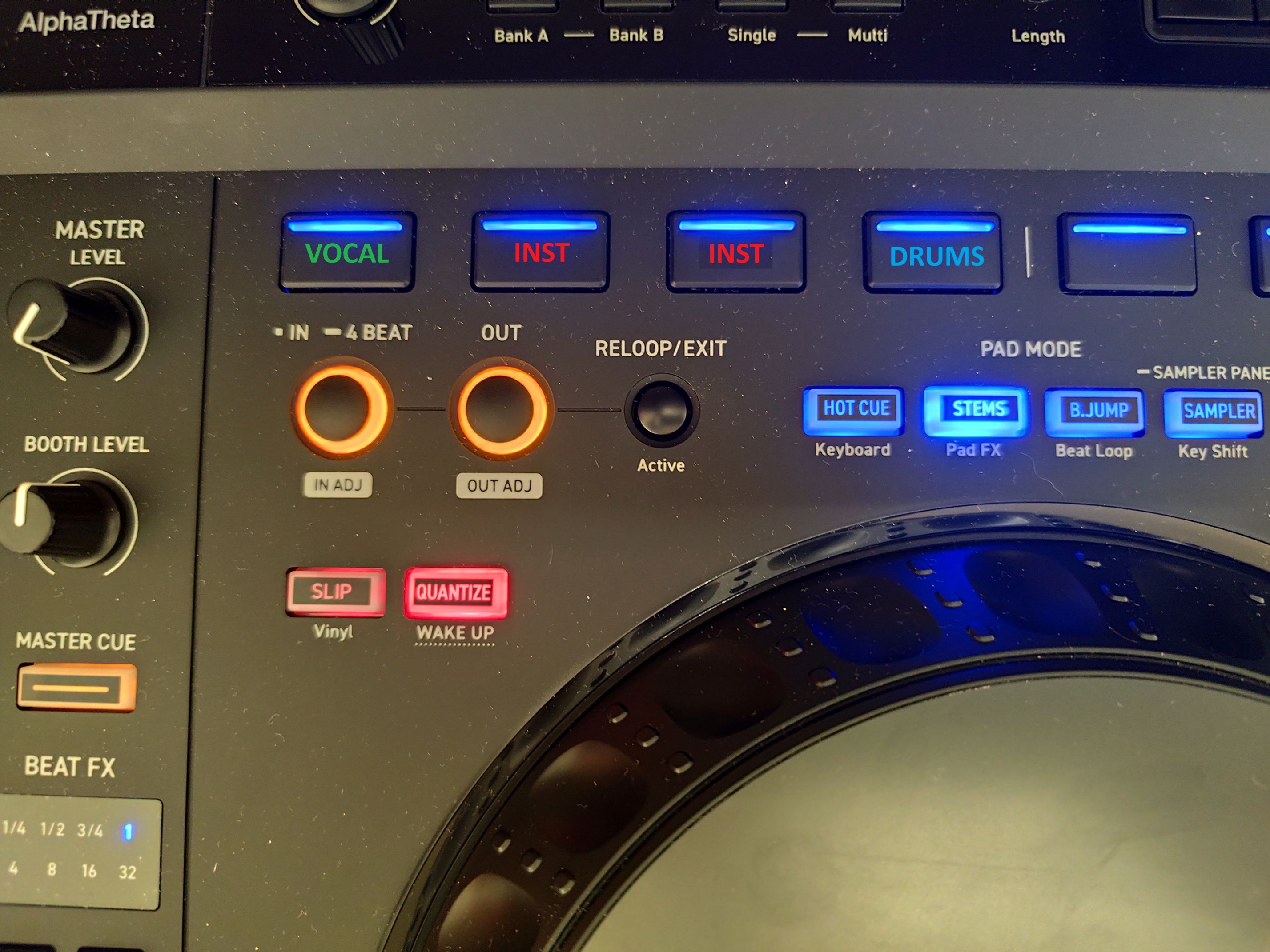
I assume that there is a way to remap these buttons differently, but I am wondering why Pioneer sells a product with an incorrect default configuration.
Could this possibly be an issue with my particular unit, or is this the standard configuration of the DDJ-GRV6?
Thank you in advance for your help.
Best regards,
Can't find help? Search our Support Site or alternatively, reach out to our Support agents