
Error and Problems with Cloud Songs
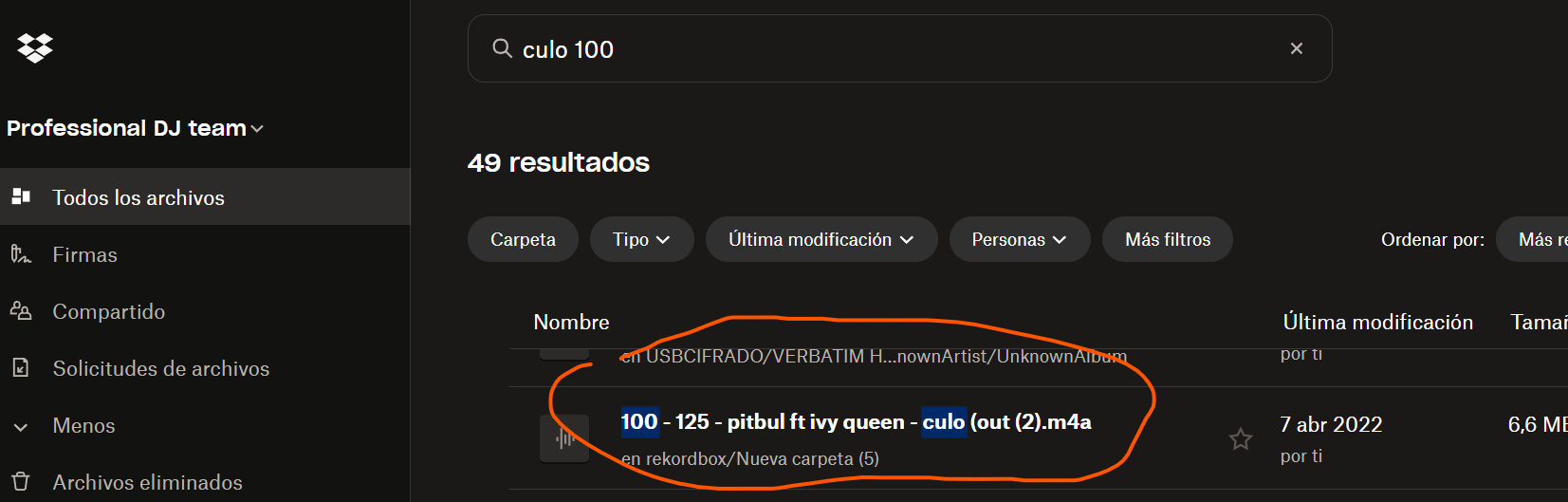
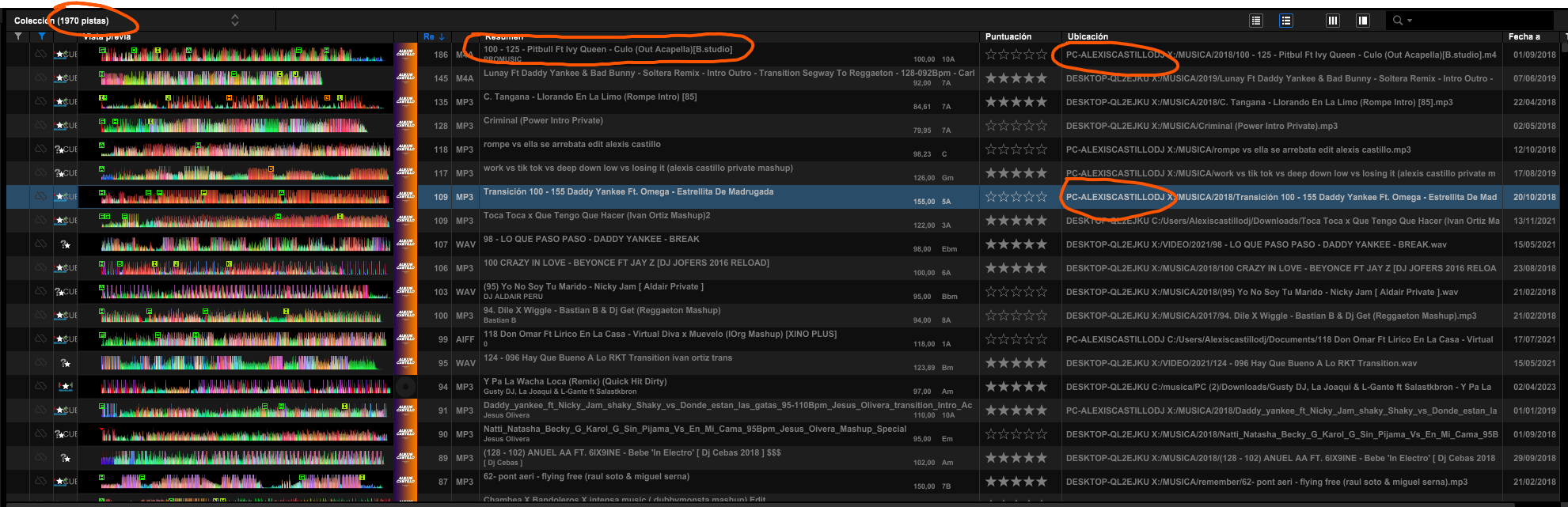 Something has happened in your cloud that has desynchronized more than 2,000 songs. These songs are in Dropbox and were previously synchronized correctly with the cloud. All these 2,000 songs have reverted (in the database) to their location before being in the cloud. Not only that, but they have been assigned to the device where they were initially added. This causes me to be unable to play all those songs because they appear in dark gray.
Please note that these songs were located in Dropbox, and I played many of them just two days ago. It’s impossible that they are not in the cloud when I can perfectly find them in Dropbox, and now they appear as if they are not in the cloud, and I also can't restore them. I haven't made any backup and haven't used rekordbox in the past two days, so I don't understand why this suddenly happens. Many of these songs indicate they are located on PC-ALEXISCASTILLODJ, and that computer is the current one. The rest are on computers I no longer have. It’s impossible that some of these songs were played a few days ago if I now can’t access them. I hope I have explained myself correctly, and this is a very serious error on your part.
Please respond quickly, I am crying for having suddenly lost all this data.
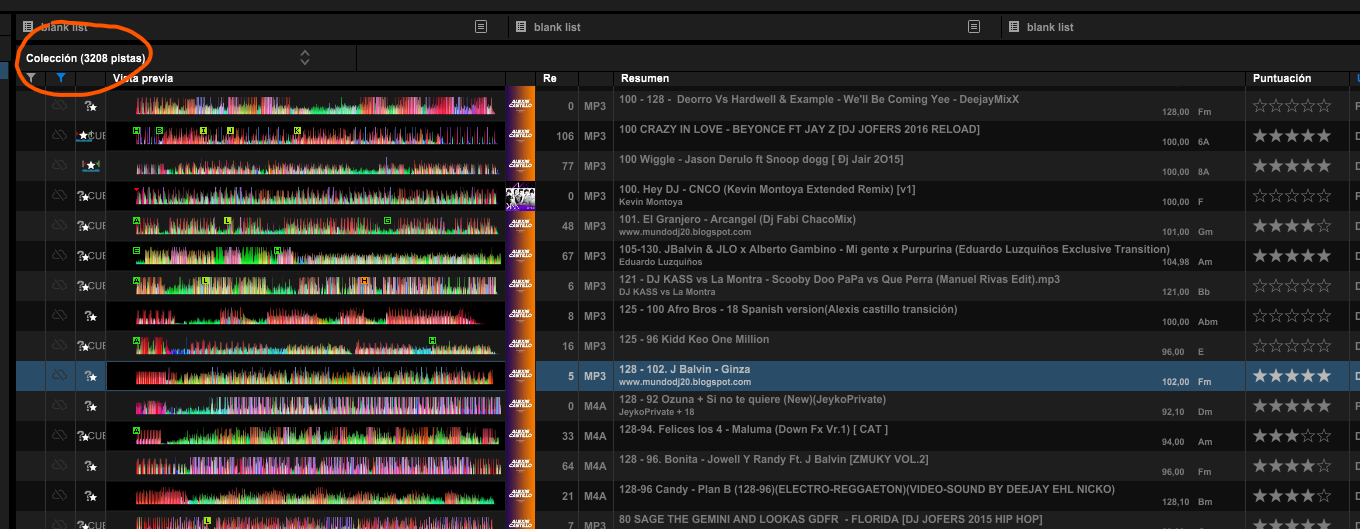
Oh my God!! It has suddenly gone from 2,000 to 3,000 songs. What is happening? I am crying; I haven't done anything, and more and more music is showing up in gray. Please stop this; I am crying.
I think I can tell you what happened. Yesterday, I tried selective sync (which you recommend). When using this mode, the songs are downloaded locally without using the Dropbox client and are downloaded to a local folder on the MacBook. Midway through the process, rekordbox unexpectedly closed, and when I reopened it, some songs appeared bugged because they showed up in the cloud, but when I clicked on them, they appeared locally.
What I believe happened is that, since rekordbox didn't complete the process, it changed those songs to local, and now it can’t find them because the selected local location is the initial location.
After this, I switched back to the normal mode that uses the Dropbox client (personally, I prefer this much more because it never gives me problems and keeps the songs I don't use online).
I use a Windows PC with an i9, 64GB RAM, and a 3070ti, and for work, I use a MacBook 14 M3 Pro Max with 38GB of RAM.
Please, this has nothing to do with me, and I know your software very well. This is a mistake on your part that has upset me greatly, and I hope you can help me resolve it. If you need anything, let me know.
Can't find help? Search our Support Site or alternatively, reach out to our Support agents
Can you please file an inquiry ticket here and our support team will gather some additional information to assist you in resolving this issue.
I contacted you several days ago, and you have not responded correctly, nor have you resolved the problem. I am still waiting for a useful response. I have detailed the entire issue properly. Please note that I have been paying for your subscription since its launch. https://forums.pioneerdj.com/hc/requests/505373
2 comments