
👉👈DDJ-400 sound problems WIN 11, Rekordbox
Hello, I have a problem with the sound on my PC.
I would like the following and hopefully you will tell me that it works and how to do it. 😂

Following scenario
PC-USB/OUT -> USB/IN -> Controller RCA/OUT-> Jack/IN (Daisy Chain) Partybox 310

I've been playing on the controller for an hour and think it's time to do something different. I stop playback with the Play/Pause button, turn around and open YouTube in the browser on the screen behind me and listen to a set there.
2 hours later the set is finished and I'm in the mood again, mute the video so that the video continues to play and start playback on the controller again and everything is cool.
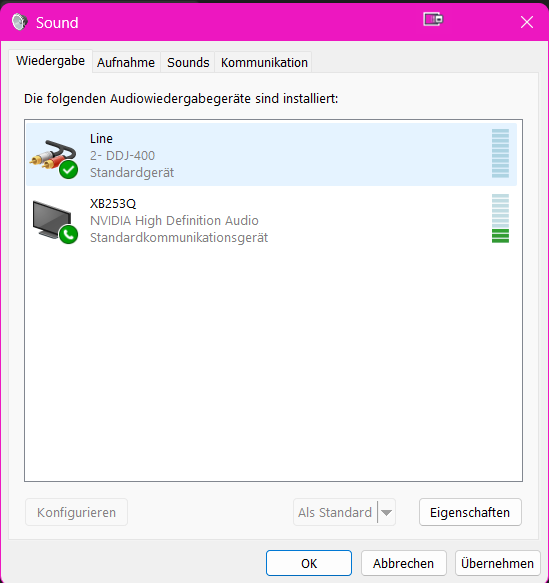
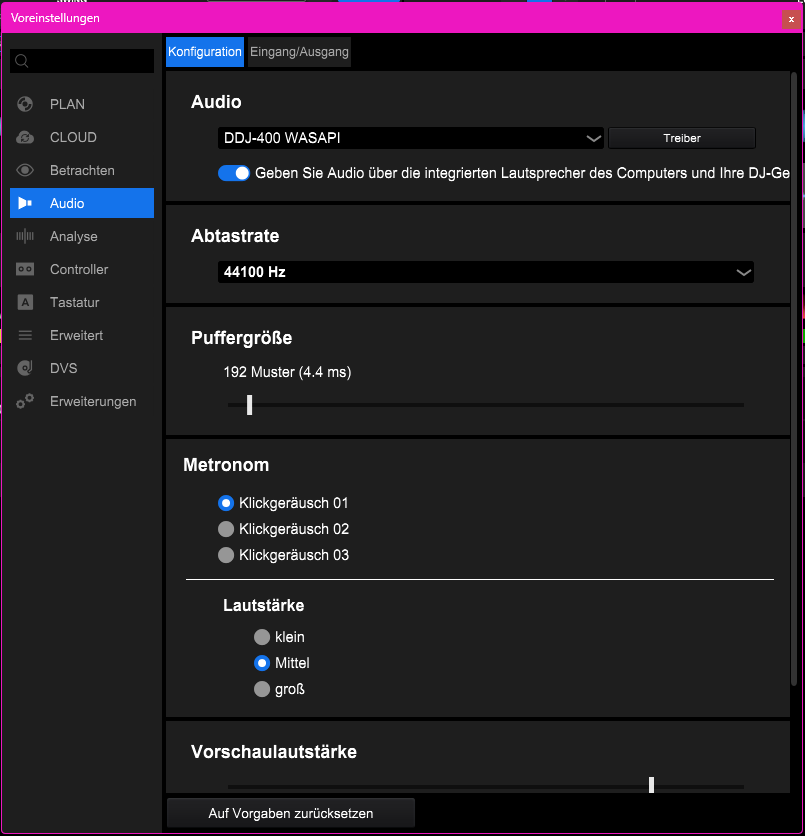
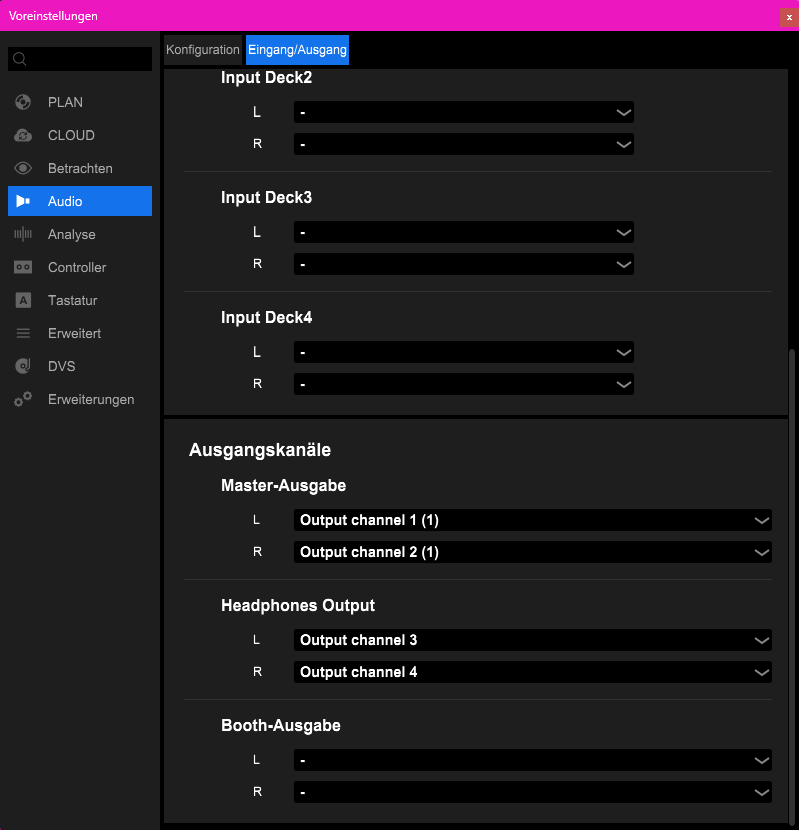
That's how I've always done it and since today it just doesn't work anymore. As soon as I play sound in the Rekordbox, either the browser crashes or the sound jumps to the primary monitor speaker, which is also activated. You forget to mute one thing beforehand and then everything goes kagge.

What I have already done:
PC restarted thousands of times
new driver,
Default device playback on and off
Other standard device
All playback devices disabled except the DDJ-400

What has changed since today:
Firmware update DDJ-400, problems with DisplayFusion
and therefore created new profiles
for desktop icons and a 4 monitor configuration.
Please sign in to leave a comment.
Can't find help? Search our Support Site or alternatively, reach out to our Support agents
Can you please file an inquiry ticket here and our support team will gather some additional information to assist you in resolving this issue.
1 comment