
rekordbox: matching feature in performance mode
Question about the "matching feature" in performance mode
I've only been using rekordbox for a short time. I would like to use the matching feature in performance mode, but the matching icon is not displayed here (see screenshot)
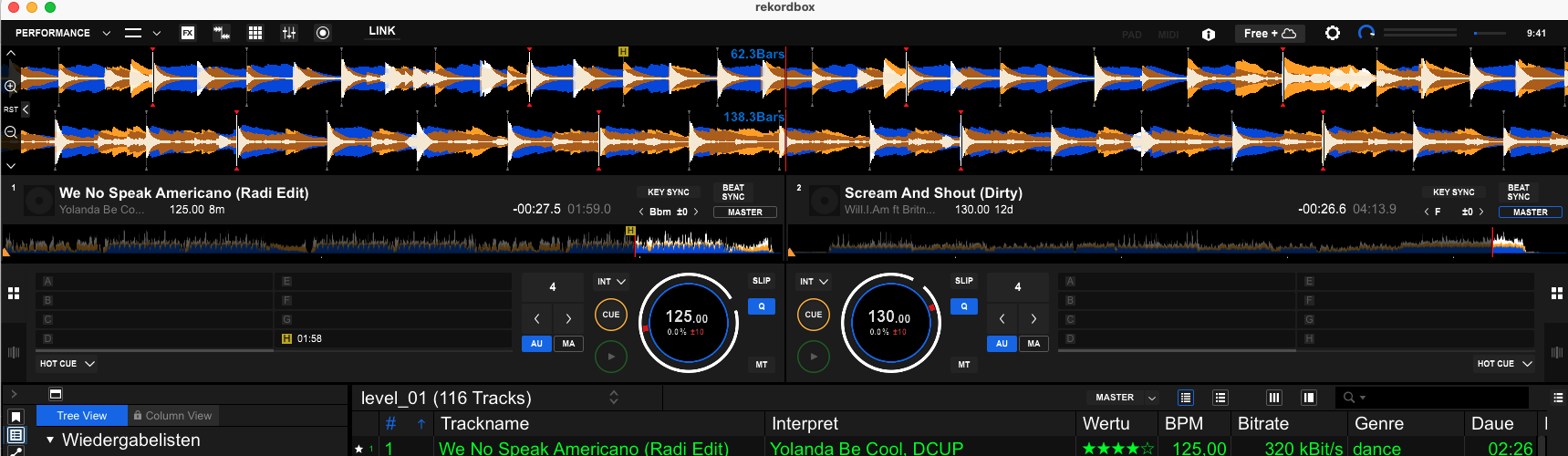
It is displayed in export mode.
I use rekordbox version 7.0.6.0016
Can anyone help me here?
Best regards
Thomas
Please sign in to leave a comment.
Can't find help? Search our Support Site or alternatively, reach out to our Support agents
Matching??? My guess is you're talking about the Traffic Light feature. On your image, just above the Rating header there is a Master button... make sure it is highlighted. When you load a track in a deck and press play, you will see matching tracks in your collection.
You need to click on the arrows on the left side of the waveforms to see the matching icon.
2 comments