
Dynamic Analyze removed in 7.0.7 from Menu?
This seems to be random in various versions of Rekordbox. In Export modus when opening tracks, I could directly use Dynamic Analyze from the [Menu Options] in version 7.0.6.
Now in the new 7.0.7 when opening the Menu Options, the Analyze Tracks only gives the (Normal) option.
Is this true and why make it so difficult to do dynamic analyses?
Please sign in to leave a comment.
Can't find help? Search our Support Site or alternatively, reach out to our Support agents
you on a PC?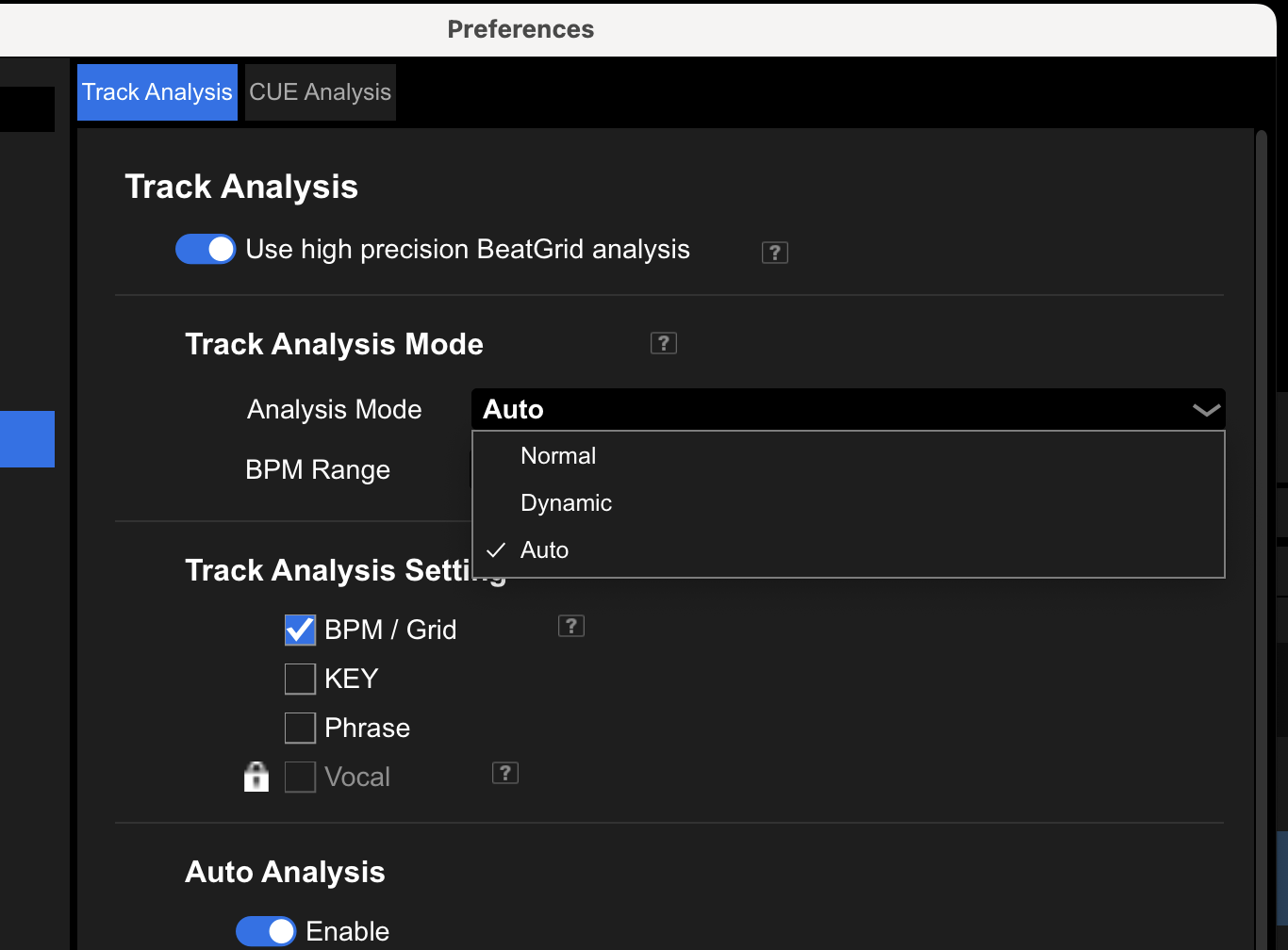
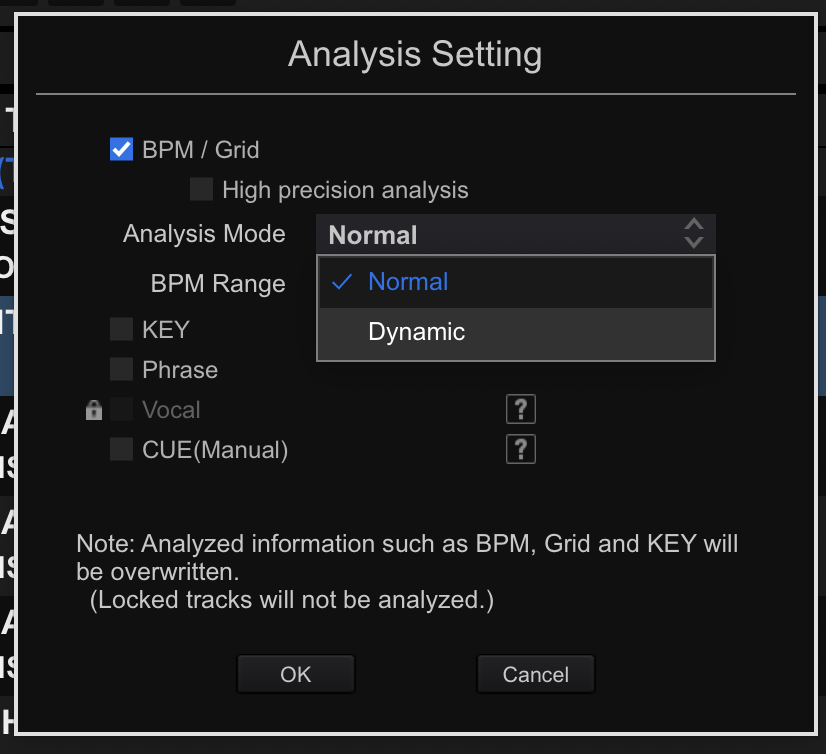
On my Mac I have auto/normal/dynamic everywhere I go to analyze. can you post a video of what's going on?
Thanks BriChi for the screenshots... I found it. So they moved it in version 7.0.7
Was so used to have quick link directly from the menu, that I thought it was totally gone and had to go deep into the settings everytime I have an old track that needs dynamic analyze.
Thanks for sharing your knowledge. Highly appreciated.
If I have to speculate, this is because of the new high precision analysis.
You will have to use the right mouse menu > analyse to specifically choose dynamic now.
3 comments