
REV 7 Performance Pad Display On Jog Wheel
Hi. Not sure if it's been asked or address so please forgive me if it was, searched here and internet came up empty.
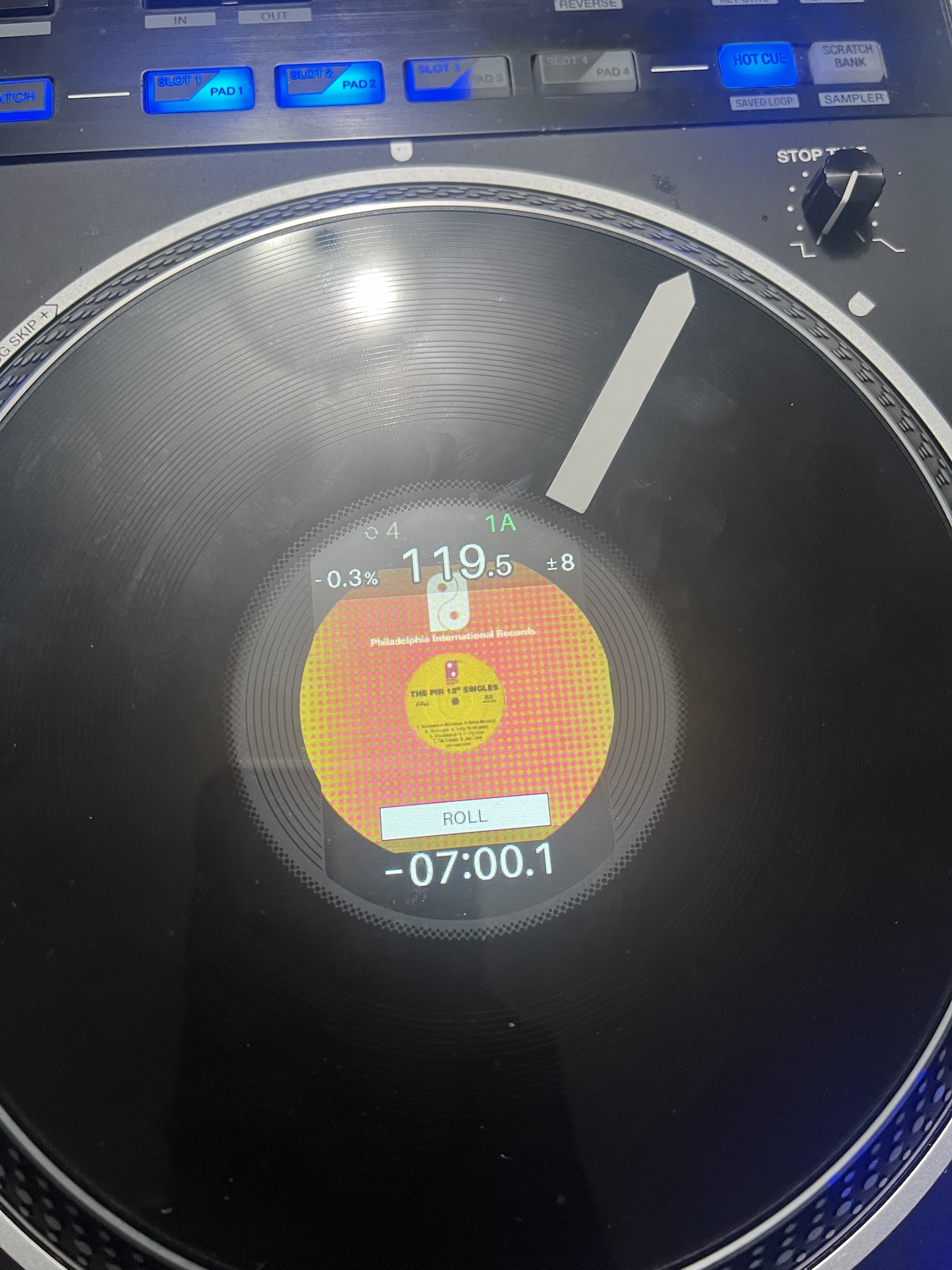
I'm using my friend's REV 7 for the time being and came across this while I was tweaking to my liking. Where I can disable or not show 'Hot Cue', Roll etc.' on the jog wheel display when pressed ? Looked at Utility settings on the unit & settings utility on the laptop, can't seem to find it. Thanks and appreciate it.
Please sign in to leave a comment.
Can't find help? Search our Support Site or alternatively, reach out to our Support agents
Hi there,
Press and hold SHIFT, then press RPM to change between display modes
Check this video https://www.youtube.com/shorts/g5_IIE0F3bQ
Hi Lewis. Thanks for replying.
Really ? I tried it but guess I may have miss something. Will attempt again and see the video.
I tried it again and watched the video. Still the same thing showing when pressed "Hot Cue, Roll etc.' on jog wheel displayed. Will contact support via ticket for further assistance.
3 comments